
Accessible Ministry: How Christian Outreach Can Remove Barriers and Welcome More People
Accessible ministry begins by noticing the small barriers that can make prayer, practical care, events, resources, and community harder to reach. Removing those barriers can help more people take a clear next step with dignity and confidence.
Sometimes the Biggest Barrier to Help Is Something a Ministry Can Fix.
Someone may want to attend an outreach event but cannot find the entrance. Another person may struggle to stand in a long line. A visitor may reach a website on a phone and discover that the request form is difficult to use.
Meanwhile, an older adult may need more time to read instructions. Someone with limited transportation may not be able to return several times just to learn what documents or information are required.
Accessible ministry pays attention to those moments.
The goal is not to redesign every part of ministry overnight. Instead, start by removing avoidable friction so people can understand where to go, what to expect, how to ask for help, and how to participate.
Accessibility Is Not About Making Ministry Complicated.
It is about making help easier to reach.
A clear sign, a chair near the entrance, a readable form, a phone number, simple instructions, or a volunteer who knows where to guide someone can change the entire experience.
What Does Accessible Ministry Mean?
Ministry accessibility means looking at outreach from the perspective of the person trying to participate.
Can they find the location? Can they understand the instructions? Can they physically reach the space? Is there another way to connect when they cannot attend in person?
Accessibility may involve mobility, vision, hearing, transportation, language, reading confidence, technology, sensory comfort, age, or simply unfamiliarity with how a ministry works.
Because needs vary, accessibility is not one single feature. It is a habit of noticing barriers and responding wisely.
Physical Access
Look at entrances, parking, seating, walking distance, rest areas, weather exposure, and how easily people can move through the space.
Clear Communication
Use simple instructions, readable signs, accurate times, clear locations, and volunteers who can explain the next step without confusion.
Digital Access
Make ministry pages work well on phones and keep forms, buttons, contact information, and resource directions easy to find.
Flexible Participation
When possible, provide another way to pray, request help, ask a question, or stay connected when someone cannot participate in person.
Start With the First Five Minutes of Someone’s Visit.
Imagine arriving at your ministry for the first time.
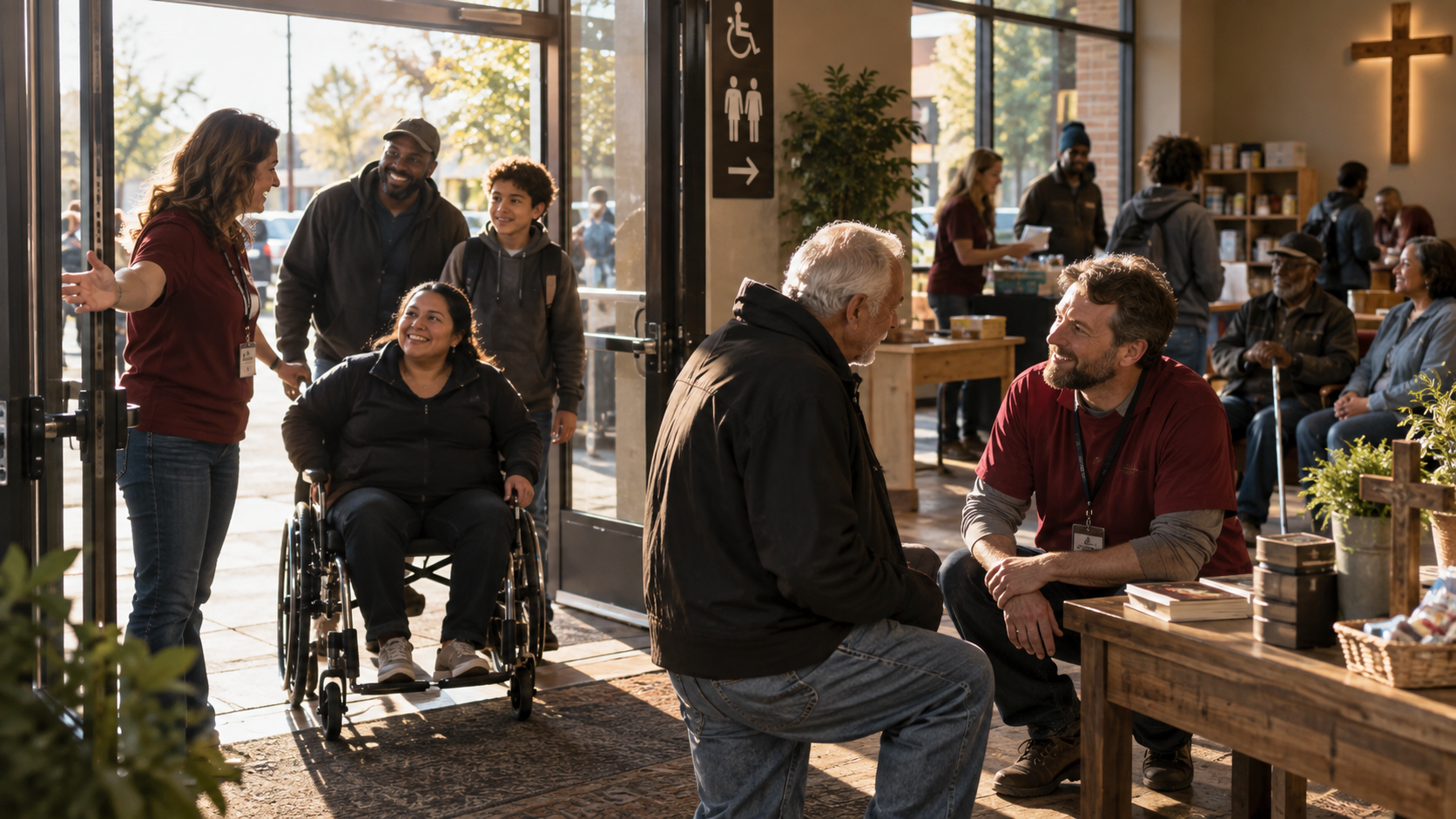
You may not know anyone. You may already feel uncomfortable asking for help. Perhaps you are carrying groceries, walking with a child, using a mobility aid, or trying to understand unfamiliar surroundings.
First, ask whether the entrance is obvious. Next, check whether visitors know where to park, where to wait, and who to speak with.
A welcoming volunteer can solve many problems quickly. Still, good signs and simple directions keep people from depending on luck to find the right person.
Clear Signs Reduce Anxiety Before a Conversation Even Begins.
Signs do not need to be elaborate. They need to answer practical questions.
For example, clearly mark the entrance, check-in area, prayer location, restroom, meal area, clothing area, or resource table when those spaces are part of the event.
Use readable text and strong contrast. Avoid placing important instructions only in decorative handwriting or very small print.
Also, keep directions consistent. If a Facebook post says one entrance while a flyer or website suggests another, visitors may arrive unsure where to go.
Not Everyone Can Stand Through a Long Outreach Process.
A person may look healthy and still need to sit.
Older adults, pregnant visitors, people recovering from an injury, people living with chronic pain, parents with young children, and others may find a long standing line difficult.
When space allows, provide a few chairs near waiting or check-in areas. Likewise, volunteers can explain whether someone may keep their place while seated.
Small adjustments can protect dignity without disrupting the entire event.
Simple Language Is Part of Accessible Christian Outreach.
Ministry instructions should not require someone to understand internal church terminology.
Instead of saying, “Go to the ministry intake area,” a sign could say, “Need food or clothing? Start here.”
Rather than assuming everyone knows what “intercession” means, a prayer invitation can simply say, “Would you like someone to pray with you?”
Clear language does not weaken the Gospel. It removes unnecessary confusion around the practical next step.
Food and Clothing Outreach Can Be Easier to Navigate.
Practical care often involves several steps. However, visitors should not have to repeat the same story to multiple people simply to understand what happens next.
Explain whether assistance requires an appointment. Share what information is needed before the person travels to the location.
If clothing is available, clear sizing and organized sections can make the process calmer. When food is served, visible information about the time, location, and process can reduce uncertainty.
Ministries such as Landmark Bread of Life provide another practical connection for people seeking food, clothing, prayer, and Gospel-centered care.
Prayer Should Be Reachable for People Who Cannot Attend an Event.
Some people will never make it to an outreach table.
Transportation, illness, work schedules, caregiving, anxiety, distance, or another barrier may keep someone home.
Because of this, an accessible ministry can offer prayer through more than one pathway.
People can connect with Lift My Prayer to share a prayer request, pray for others, or participate in a wider Christian prayer community online.
The important point is simple: needing prayer should not depend on being able to stand in the right physical place at the right time.
A Ministry Website Can Either Remove Friction or Create More of It.
Many people will visit a website before they ever visit a church, meal, prayer gathering, or outreach event.
If the page is difficult to use on a phone, hides contact information, or requires a complicated form, the barrier begins before anyone reaches the ministry.
Make the Digital Next Step Easy to See and Easy to Use.
- Use clear button labels such as “Get Help,” “Request Prayer,” or “Volunteer.”
- Make sure important pages work well on mobile phones.
- Keep forms as short as the ministry actually needs.
- Use readable text sizes and strong color contrast.
- Add useful alternative text to meaningful website images.
- Provide a phone or contact option when a form is not practical for everyone.
- Explain appointment requirements before someone travels to the ministry.
- Keep event dates, times, addresses, and entrance information consistent.
Churches Do Not Have to Solve Digital Accessibility Alone.
Sometimes the ministry knows what people need but does not know how to fix the technical problem.
A church may need a clearer mobile layout, easier forms, more visible contact information, better event pages, or simpler navigation.
Christian churches and ministries can explore Intangible Treasures for practical digital ministry help with websites, forms, graphics, event promotion, and related systems.
Technology should serve people rather than become another obstacle between people and ministry.
Commercial Website Accessibility Needs a Different Technical Path.
Businesses may also discover that confusing forms, broken mobile layouts, slow pages, complicated checkout steps, or custom workflows create barriers for customers.
For professional WordPress, WooCommerce, custom plugin, automation, and commercial website development, BuildRightWeb provides the business-focused technical path.
Keeping ministry support and commercial development clearly separated helps each type of project receive the right level of service.
Volunteers Need to Know How to Respond When Someone Needs an Adjustment.
Accessibility often depends less on equipment and more on how people respond.
A volunteer does not need to know every possible condition or disability. Instead, they can ask a respectful question such as, “What would make this easier for you?”
Then listen.
Avoid making assumptions about what someone can or cannot do. Also, do not turn a reasonable request into a public discussion about the person’s private circumstances.
Offer Help Without Making Someone Feel Like a Problem.
Good accessibility protects dignity.
A person who needs extra time, a chair, clearer instructions, a different communication method, or another practical adjustment should not be treated as if they are slowing the ministry down.
In practice, accessible outreach asks a better question: “How can we make the next step clearer?”
That posture turns accommodation into ordinary Christian hospitality rather than an inconvenience.
Accessible Ministry Also Means Knowing When Another Ministry Is Better Equipped.
No outreach team can provide every service.
One ministry may be prepared for meals and clothing. Another may provide prayer, recovery support, discipleship, resource guidance, or specialized care.
For people seeking Christ-centered outreach, support, and resource connections, Unbound Ministry may provide another useful pathway.
A clear referral can be an accessibility improvement too. It keeps people from searching through several disconnected organizations without knowing where to begin.
Need Prayer?
Share a request, pray for others, or connect with an online Christian prayer community.
Visit Lift My PrayerNeed Practical Help?
Start with TGRM for prayer, resource direction, practical care, and the next available step.
Visit TGRM Need HelpNeed Food or Clothing?
Explore food, clothing, prayer, and practical support through a connected local ministry.
Visit Landmark Bread of LifeNeed Christ-Centered Support?
Explore outreach, resource connections, prayer, and pathways toward freedom and restoration.
Visit Unbound MinistryAccessible Outreach Events Begin Before the Event Starts.
A clear Facebook post or flyer can answer important questions before someone leaves home.
Include the exact date, time, address, meeting point, and basic description of what will happen.
If the entrance is difficult to find, explain it. If people should bring something, say so. If an event includes significant walking, outdoor weather, or limited seating, mention that information beforehand when practical.
Good information helps people decide whether and how they can participate.
Do Not Assume Everyone Wants to Use an Online Form.
Forms are efficient, but they are not equally easy for every person.
Some visitors have limited data, older phones, poor internet access, or low confidence with technology.
When possible, provide another contact route such as a phone number, email address, or simple message option.
At the same time, clearly explain which contact method is best for each type of request. That keeps accessibility from creating confusion for the team.
Accessibility Should Not Require Someone to Give Up More Privacy.
A person may need an accommodation without wanting to explain their entire medical history or private situation.
Ask only for the information needed to respond.
For example, “Would sitting while you wait help?” may be enough. The ministry often does not need to know why.
Respectful flexibility can solve a practical problem while allowing the person to keep personal details private.
You Do Not Need a Perfect Accessibility Plan Before You Start Improving.
Walk through the ministry experience. Use the website on a phone. Read the event instructions as though you had never seen them before.
Then fix the barrier that creates the most confusion.
Small improvements become a culture of care when the team keeps paying attention.
A Simple Accessible Ministry Review Checklist.
- Can a first-time visitor easily find the correct entrance?
- Are parking and meeting-point instructions clear?
- Is seating available for people who cannot comfortably stand?
- Can visitors understand signs without knowing church terminology?
- Do event posts clearly show date, time, address, and what to expect?
- Does the ministry website work comfortably on a phone?
- Are important buttons and contact options easy to find?
- Is there another prayer or contact path for people who cannot attend?
- Do volunteers know how to respond respectfully to an access request?
- Are referrals clear when another ministry is better equipped to help?
Frequently Asked Questions About Accessible Ministry.
What is accessible ministry?
Accessible ministry reduces avoidable physical, communication, digital, and participation barriers so more people can understand and reach prayer, care, resources, events, and Christian community.
Does accessible ministry require expensive renovations?
Not always. Some barriers may require larger changes, but many improvements begin with clearer instructions, better signs, seating, simpler forms, mobile-friendly pages, and flexible ways to contact the ministry.
How can a small outreach team improve accessibility?
Start with the visitor journey. Review the entrance, waiting process, event information, contact methods, website, forms, and volunteer communication. Fix one clear barrier at a time.
Why does digital accessibility matter for Christian outreach?
Many people search online before visiting in person. Clear mobile pages, readable content, straightforward forms, and visible contact options can make prayer and practical help easier to reach.
What if our ministry cannot meet someone’s accessibility need?
Respond honestly and respectfully. Look for another workable option, explain what you can provide, or help identify a trusted ministry or resource that may be better equipped.
Remove the Barrier. Keep the Gospel Clear. Help People Take the Next Step.
The Gospel Rescue Mission exists to bring prayer, practical care, resource connection, dignity, and the hope of Jesus Christ into communities that need steady support.
Accessible ministry strengthens that mission by making the path toward help easier to understand and easier to use.
A clearer sign matters. A usable website matters. A chair can matter. A patient volunteer can matter. A prayer option for someone who cannot attend can matter.
Each small improvement helps remove unnecessary friction so the ministry can focus on what matters most: people, compassion, truth, prayer, and Jesus Christ.